
Top Apps That Help You Study Better Without Distractions
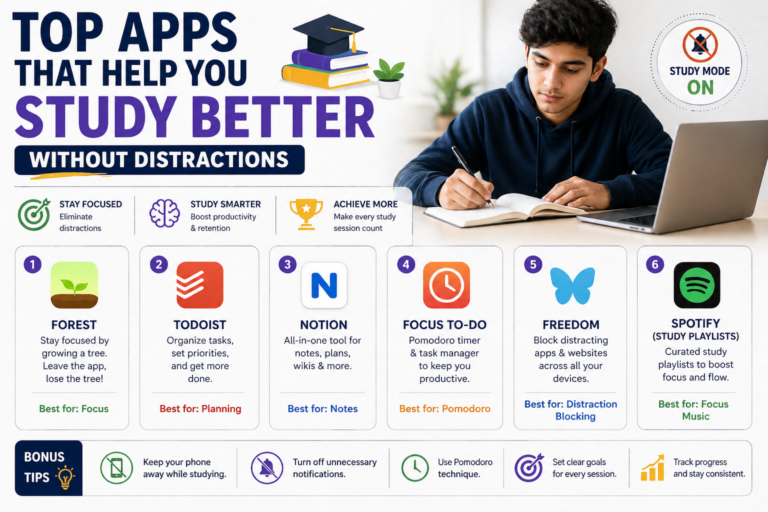
You open your textbook. Five minutes later, you are watching a 47-part video series about something completely unrelated. Sound familiar? Every PU student knows this trap — and in a world built to capture your attention, studying without distractions has become one of the hardest skills to master.
The good news? Technology is not just the problem. It is also the solution. The top apps that help you study are built with one goal: to protect your focus, organize your time, and make every study session count.
At Gurukul PU College, we have seen firsthand how the right digital tools transform struggling students into confident ones. So we put together this definitive guide to the best study apps in 2026 — tested, curated and approved for PU students like you.
Why Do You Even Need a Study App?
Before we dive into the list, let us be honest: not every app helps you study. Most of them do the opposite. The average student unlocks their phone over 96 times a day, and every unlock is a potential study session destroyed.
But purpose-built study apps are different. Research from the American Psychological Association shows that students who use structured digital tools for studying report better focus, higher retention and lower exam anxiety compared to those who rely on traditional methods alone.
The right app can help you:
• Block distractions so your brain can enter deep focus mode
• Track your time and build accountability habits
• Organize notes so revision becomes fast and efficient
• Use proven techniques like spaced repetition and the Pomodoro method
• Collaborate with classmates without switching to social media
Gurukul Tip: Our students who combine offline study strategies with 2-3 focused apps consistently outperform those using either approach alone. The key is choosing the right apps and using them intentionally.
1. Focus & Distraction Blockers
The first battlefield is your phone. These apps lock out everything that is not your textbook.
Forest | iOS & Android · Free / Premium
Forest turns your phone into a productivity game. Set a timer, plant a virtual tree, and if you touch your phone before the timer ends — your tree dies. It sounds simple, but the emotional attachment to your growing forest is surprisingly effective. Students at Gurukul PU College swear by it during exam season. Learn more→
Freedom | iOS, Android & Desktop · Free / Premium
Freedom is the nuclear option for distraction blocking. It lets you block specific websites and apps across ALL your devices simultaneously. Scheduled blocks mean you can set it and forget it. Perfect for those who keep opening YouTube despite their best intentions. Learn more →
Be Focused (Pomodoro Timer) | iOS · Free
Built on the famous Pomodoro Technique — 25 minutes of work, 5-minute break — Be Focused helps you break intimidating study sessions into manageable sprints. It tracks how many sessions you complete per day, giving you a sense of accomplishment that keeps you going. Learn more →
2. Note-Taking & Organization Apps
Your notes are your most valuable study asset. These apps make them smarter, searchable and actually useful during revision.
Notion | iOS, Android & Desktop · Free
Notion is the all-in-one workspace that PU students are obsessed with. Create subject databases, track deadlines, embed YouTube lecture links, and build a personalized study wiki. It takes a little setup but pays off massively. Check out how Gurukul PU College students are using Notion for semester planning on our Student Resources page. Learn more →
Microsoft OneNote | iOS, Android & Desktop · Free
If you prefer something more familiar, OneNote is a Microsoft staple. It supports handwritten notes (great if you use a tablet), audio recordings, and syncs seamlessly across devices. Science stream students particularly love it for drawing biology diagrams and physics circuits digitally. Learn more →
Google Keep | iOS & Android · Free
For quick captures, Google Keep is unbeatable. Jot down a formula, pin an important revision point or create a color-coded checklist for each subject. It integrates beautifully with Google Docs and Drive, making it perfect for students already in the Google ecosystem. Learn more →
3. Flashcard & Memory Apps
Rote learning is out. Spaced repetition is in. These apps use science-backed algorithms to show you the right information at the right time — dramatically cutting down revision time while boosting long-term memory.
Anki | iOS, Android & Desktop · Free
Anki is the gold standard in flashcard apps, used by medical students and language learners worldwide. Its spaced repetition system is so effective that studies have shown it can reduce study time by up to 50% while improving recall. There is a learning curve, but once you are in, there is no going back. The University of Michigan even endorses it for their students. Learn more →
Quizlet | iOS & Android · Free / Plus
Quizlet makes flashcards social and fun. Create your own sets or use millions of existing ones for PCMB, Commerce, and Arts subjects. The Learn, Test, and Match modes keep revision fresh. It is particularly useful for PU Biology, Economics, and History students who need to remember large amounts of terminology. Learn more →
Gurukul Pro Tip: Use Anki for your toughest subjects (Physics, Chemistry) and Quizlet for content-heavy ones (Biology, History, Economics). The combination is unbeatable for PU exam preparation.
4. Time Management & Planning Apps
Knowing what to study is only half the battle. Knowing when to study each thing — and sticking to it — is where most students struggle. These apps fix that.
Google Calendar | iOS & Android · Free
Do not underestimate the humble calendar. Blocking out study time like an appointment — non-negotiable and scheduled — is one of the most effective productivity habits you can build. Add your PU exam dates, Gurukul PU College internal tests and daily study blocks. Color-code by subject. Treat it like your job. Learn more →
Todoist | iOS, Android & Desktop · Free / Premium
Todoist is arguably the best task manager available. Break each subject into tasks, prioritize them, set deadlines, and get the deeply satisfying dopamine hit of checking things off. The Karma score system gamifies productivity in a healthy, motivating way. Learn more →
Structured | iOS · Free / Pro
Structured is a visual daily planner that shows your tasks as a timeline. It makes your day feel organized and manageable at a glance. For PU students juggling multiple subjects, practicals, and extracurriculars, this visual clarity is a game-changer. Learn more →
5. Learning & Concept-Building Apps
When your textbook is not enough, these platforms bring concepts to life with video lessons, interactive problems, and expert explanations.
Khan Academy | iOS, Android & Web · Free
Khan Academy remains one of the most powerful free learning tools ever created. From Class 10 revision to PU-level Mathematics, Physics, Economics and more — it is all here, explained with clarity and patience. The practice exercises with instant feedback are especially useful for building exam confidence. Learn more →
Unacademy / BYJU’S | iOS & Android · Free / Paid
For India-specific PU curriculum support, Unacademy and BYJU’S both offer Karnataka PU-aligned content, live classes, test series, and doubt-clearing sessions. If you feel your classroom learning needs a boost in any subject, these platforms provide structured supplementary support. Learn more →
6. Focus & Wellness Apps (Because Burnout is Real)
The best study app in the world cannot save you from burnout. Sustainable studying requires mental recovery too. These apps protect the most important study tool you have — your brain.
Calm / Headspace | iOS & Android · Free Trial / Paid
Short meditation sessions between study blocks have been shown to improve focus, reduce cortisol (the stress hormone), and boost memory consolidation. Even 5 minutes of guided breathing between sessions can reset your attention. Gurukul PU College encourages all students to build mental wellness habits early. Learn more →
Brain.fm | iOS, Android & Web · Free Trial / Paid
Brain.fm generates music scientifically designed to help you focus. Unlike regular lo-fi playlists, its AI-generated audio is engineered to reduce mind-wandering. Many students report getting into deep focus faster with Brain.fm than with any playlist. Learn more →
From Gurukul PU College: We believe academic excellence and mental wellness are not opposites — they are partners. Visit our Mental Health & Wellness page to explore the support resources available to every Gurukul student.
How to Build Your Personal Study App Stack
The biggest mistake students make is downloading 10 apps and using none of them well. Here is how to build a simple, effective stack:
1. Pick ONE focus app — Forest or Freedom. Not both.
2. Pick ONE notes app — Notion for organizers, OneNote for visual learners, Google Keep for minimalists.
3. Pick ONE flashcard app — Anki for science/math, Quizlet for content subjects.
4. Pick ONE planner — Google Calendar for scheduling, Todoist for daily tasks.
5. Add ONE wellness tool — Headspace or Brain.fm during intense study stretches.
That is it. Five apps. Mastered deliberately. This is infinitely more powerful than having 20 apps that you open once and forget.
For more strategies on building productive study habits, check out these related reads on the Gurukul PU College Blog:
• Why Your Study Timetable is Not Working — And How to Fix It
• The Night Before the Exam: What Toppers Do Differently
• Why Gen Z Communicates in Memes — And It’s Actually Genius
Further Reading & Expert Resources
Want to go deeper? These external resources are worth bookmarking:
• APA on Learning and Memory Science — understand how your brain actually retains information
• Cal Newport’s Study Hacks Blog — deep work strategies from a productivity researcher
• Pew Research: How Gen Z Uses Technology — the data behind how students interact with devices
• Khan Academy Official Site — free curriculum-aligned learning for every PU subject
Final Word from Gurukul PU College
The top apps that help you study are not magic shortcuts. They are tools — and like all tools, they are only as good as the hands that use them. The students who get the most out of these apps are the ones who combine them with real discipline, genuine curiosity, and a willingness to show up consistently.
At Gurukul PU College, we prepare students not just for exams, but for life in a distracted world. Learning to protect your focus now is one of the most valuable skills you will ever build.
Now close Instagram, open Forest, and plant your first tree. Your future self will thank you.
Subcribe Our Newsletter
Work Hours
- Mon - Fri :
- Sunday :
- 10.00 AM - 05.30 PM
- Closed